A basic voice bot can answer questions. A useful healthcare assistant has to do more. It needs to understand what a patient is saying, recognize when risk may be rising, decide what should happen next, and stay within strict privacy and safety boundaries while doing it. That is what makes voice-enabled predictive health assistants different from generic conversational AI.
The opportunity is real. Chronic disease management, follow-up care, medication adherence, and triage all depend on timely patient engagement, and the scale of that challenge is enormous. CDC data shows chronic disease affects a large share of U.S. adults, with more than 90% of adults 65 and older and more than 75% of adults ages 35 to 64 living with at least one chronic condition. At the same time, HHS makes clear that HIPAA-regulated organizations can use remote communication technologies, including audio-only services, as long as they comply with HIPAA privacy and security requirements.
That combination explains why more healthcare teams are exploring voice interfaces. Voice reduces friction for patients. Predictive models add clinical and operational value. But building a voice-enabled predictive health assistant is not the same as adding speech-to-text to a chatbot. It requires the right AI models, the right workflow design, the right escalation logic, and the right compliance architecture from day one.
What Are Voice-Enabled Predictive Health Assistants?
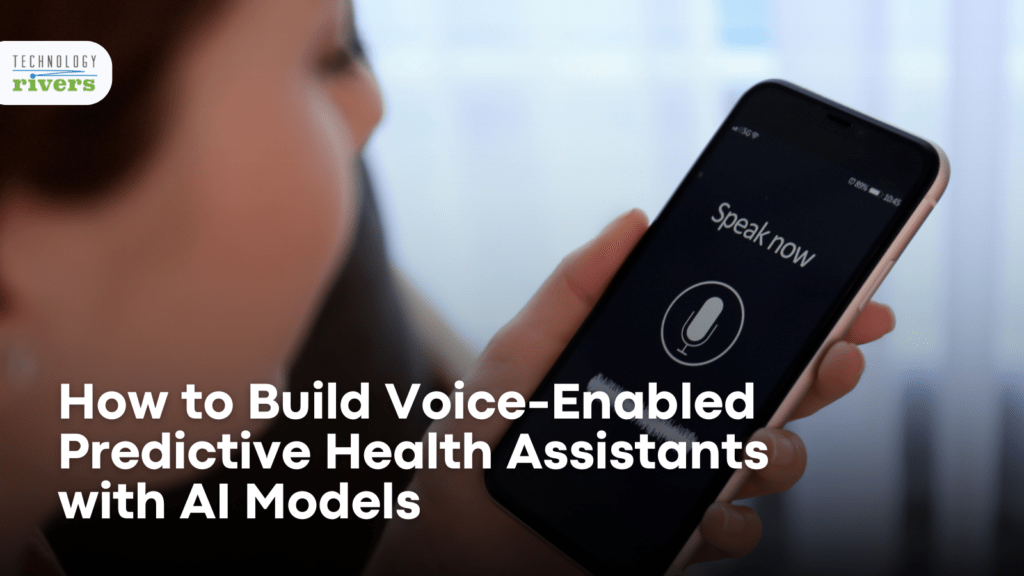
A voice-enabled predictive health assistant is a healthcare application that accepts spoken input, interprets patient intent and context, and uses predictive logic to support a next step. That next step might be a risk flag, a care reminder, a triage recommendation, a medication prompt, a follow-up workflow, or an escalation to a clinician.
That is different from a basic voice bot. A standard bot can answer scripted questions or play back information. A predictive health assistant connects voice interaction to patient-specific context, risk scoring, and operational action. It does not just respond. It helps anticipate what may happen next.
In practice, these assistants are most useful when they support a defined healthcare workflow, not when they try to behave like an all-purpose medical expert. The strongest use cases usually sit inside chronic care, telehealth, remote monitoring, medication adherence, and post-discharge engagement.

Why Healthcare Teams Are Investing in Voice and Predictive AI
Voice removes effort from the patient side. Typing symptoms, medication questions, or daily health updates into an app is slower and less natural than speaking. That matters even more for older adults, people with limited dexterity, patients managing multiple conditions, and users who need support outside of a clinical setting.
Predictive AI adds a second layer of value. Instead of treating every interaction as a standalone request, the system can look for patterns over time. A patient who reports missed medication doses, worsening fatigue, and rising blood pressure over several days may need a different response than a patient asking a one-off scheduling question.
That is why the best systems are built around workflow outcomes. A predictive assistant should help care teams prioritize follow-up, reduce routine friction, and surface risk earlier. This is also why the architecture matters as much as the interface. The difference between a novelty feature and a useful digital health product is what the system can do after it understands the patient.
For teams already thinking about secure product design, AI in Healthcare App Development: How Startups Build HIPAA-Compliant Apps Faster can help frame how AI features should connect to real healthcare workflows instead of being added as isolated features.
The Core AI Models Behind a Predictive Voice Assistant
A real system usually combines several model layers rather than relying on a single model.
1. Speech-to-Text
This converts spoken language into text. In healthcare, accuracy matters more than convenience. Medication names, symptom descriptions, and care instructions can all be misheard if the model is not tuned for healthcare vocabulary or noisy real-world environments.
2. Natural Language Understanding
Once the speech is transcribed, the system needs to identify intent, extract relevant entities, and preserve conversational context. This is the layer that distinguishes “I forgot my medication yesterday” from “I feel worse after taking my medication.”
3. Predictive Models
This is what makes the system more than a voice interface. Predictive models can estimate adherence risk, flag symptom escalation, identify possible deterioration patterns, or determine whether a patient should move into a higher-touch workflow.
4. Decision Logic and Orchestration
Healthcare assistants need controlled responses. That often means combining model outputs with rules engines, workflow triggers, human review paths, and retrieval logic. In higher-risk settings, deterministic workflows and constrained outputs are more important than sounding conversational.
5. Text-to-Speech
This layer generates the spoken response back to the user. It matters for accessibility and experience, but it is usually the least clinically sensitive part of the stack.
What a Real System Architecture Looks Like
The most effective architecture starts with a narrow care objective. A voice-enabled predictive health assistant for post-discharge follow-up should not be designed the same way as one for chronic disease check-ins or medication adherence.
A typical architecture looks like this:
- A mobile app, call interface, or patient portal for voice interaction
- A speech layer for transcription and voice output
- An NLP layer for intent, entity extraction, and context handling
- A predictive layer for risk scoring or next-best-action logic
- A workflow engine for routing, reminders, escalation, and human review
- Integrations with EHR, RPM, scheduling, or care management systems
- Security, logging, and audit controls across every step
The integration layer is especially important. A predictive assistant becomes far more useful when it can reference medications, care plans, recent encounters, monitoring data, and outreach history. Our blog on How EMR Integrations Power Personalized Care in Telehealth Apps fits naturally here; without patient context, even a polished voice assistant stays shallow.
This is also where practical delivery matters. Building a working assistant requires a healthcare software development partner to align voice UX, AI logic, and healthcare workflows inside one product.
Common Use Cases That Actually Work
The strongest implementations start with focused, high-frequency workflows. Technology Rivers created a remote patient monitoring solution, where continuous patient data and secure workflows matter far more than interface polish alone. Other examples include:
1. Symptom Intake and Triage Support
A patient can describe symptoms in their own words, while the system structures that input, identifies urgent signals, and routes the result into a triage workflow. The assistant should not attempt open-ended diagnosis. It should help standardize intake and escalate when needed.
2. Medication Adherence
Voice works well for reminders, check-ins, and follow-up questions. When combined with predictive logic, the assistant can identify adherence risk instead of only sending generic prompts.
3. Chronic Disease Monitoring
Patients managing diabetes, heart failure, COPD, or hypertension often need recurring support. A voice assistant can collect updates, look for deterioration patterns, and trigger follow-up tasks when signals suggest worsening risk.
4. Post-Discharge Follow-Up
Patients often leave care settings with instructions, medications, and unanswered questions. Voice can make follow-up easier, while predictive models can help identify which patients need faster outreach.
5. Appointment Preparation and Education
The assistant can gather information before visits, reinforce care instructions, and answer constrained educational questions within a governed content layer.
How to Build One Step by Step
Step 1: Define the clinical or operational problem.
Do not begin with the model — begin with the workflow. What patient behavior or care gap are you trying to improve? Strong starting points include:
- Medication adherence
- Follow-up completion
- Symptom escalation
- Chronic care engagement
Step 2: Choose the right data sources.
Some assistants only need conversational history and care instructions. Others need:
- EHR context
- Device data
- Adherence history
- RPM feeds
More data is not always better. The better question is which data is necessary to support the specific decision.
Step 3: Design the conversation around healthcare constraints.
Patients should not be pushed into open-ended, high-risk interactions when the workflow only needs a few structured answers. Good healthcare voice design feels conversational, but it stays bounded.
Step 4: Build secure infrastructure.
HIPAA requires administrative, physical, and technical safeguards for electronic protected health information. For voice-enabled systems, that includes:
- Recordings and transcripts
- Metadata and linked patient context
- Workflow outputs that identify the patient
Step 5: Connect the assistant to operational systems.
This is where software integration services matter. Without system integration, the assistant can talk — but it cannot act.
Step 6: Safety test before rollout.
Teams should test for:
- Transcription accuracy
- Escalation logic and fallback behavior
- Edge cases and unsafe prompt paths
HIPAA, Privacy, and Safety Requirements
Healthcare teams should assume that voice recordings, transcripts, and patient-linked outputs can all become regulated data when they contain identifiers or relate to care. That makes privacy and security architecture a core part of the build, not a compliance layer to add later.
HHS states that the Security Rule protects electronic protected health information through administrative, physical, and technical safeguards, and separately confirms that audio-only telehealth can be used in compliance with HIPAA when the underlying controls are in place.
This is also why not every general-purpose AI tool is a fit for healthcare. A model may perform well technically and still be unusable in production if it lacks the right deployment controls, data boundaries, auditability, or business associate agreement support. Those implementation risks are closely aligned with Safe Innovation in Healthcare AI: How RAG, Sandboxing, and Anonymization Reduce Risk, especially when teams want innovation without exposing PHI unnecessarily.
A useful assistant should also know when not to answer. Human review, escalation paths, and clearly bounded use cases are essential. In healthcare, a good fallback is often more valuable than a clever response.
Download our HIPAA Compliance Checklist to see the safeguards, documentation, and technical controls your healthcare app needs before launch.
Common Mistakes Teams Make
One common mistake is treating the product like a chatbot project instead of a healthcare workflow project. That usually leads to broad conversations, weak escalation logic, and unclear clinical utility.
Another is overemphasizing voice experience while underinvesting in data and routing. The voice layer may feel polished, but if the system cannot connect to care management or patient records, it stays superficial.
Teams also tend to delay governance decisions until late in development. In practice, risk boundaries should shape model choice, system design, and workflow orchestration from the beginning. That is one reason The Governance Blueprint: 4 Roles Every Healthcare AI Team Must Have can fit naturally into a build plan for more mature teams.
A fourth mistake is trying to solve too many use cases at once. The better strategy is to launch a focused assistant with one clear outcome, then expand after the workflow proves useful.
Planning a voice-enabled healthcare product that must stay secure and clinically useful? Explore our AI and machine learning services to design a system that balances model capability with healthcare-grade safeguards.
A Practical Rollout Plan
Start with one patient population and one narrow workflow. That could be hypertension check-ins, post-discharge medication follow-up, or oncology symptom monitoring. Keep the first release small enough that teams can evaluate safety, usability, and real workflow impact.
Then pilot with defined escalation rules. Decide what triggers a task, what requires clinician review, and what the assistant should never attempt on its own.
After that, add more patient context and predictive sophistication. This is where workflow automation services help translate model output into reminders, alerts, case queues, and follow-up actions.
The last step is expansion. Once the initial workflow is stable, teams can add broader integrations, new patient segments, and more personalized prediction layers.
“Technology Rivers brings a lot of expertise to the table. They’re not just hired guns — they become partners to the companies they work with.” — Gorkem Sevinc
Build a Voice-Enabled Predictive Health Assistant That Actually Works
The best voice-enabled predictive health assistants do not try to replace clinicians or imitate a general-purpose AI companion. They reduce friction, support a specific care workflow, surface risk earlier, and route the right information to the right people at the right time.
That only happens when voice UX, predictive models, integrations, privacy controls, and escalation logic are designed together.
If your team is planning a healthcare AI product and wants to move from concept to a compliant, production-ready system, discuss your healthcare AI product with us now.