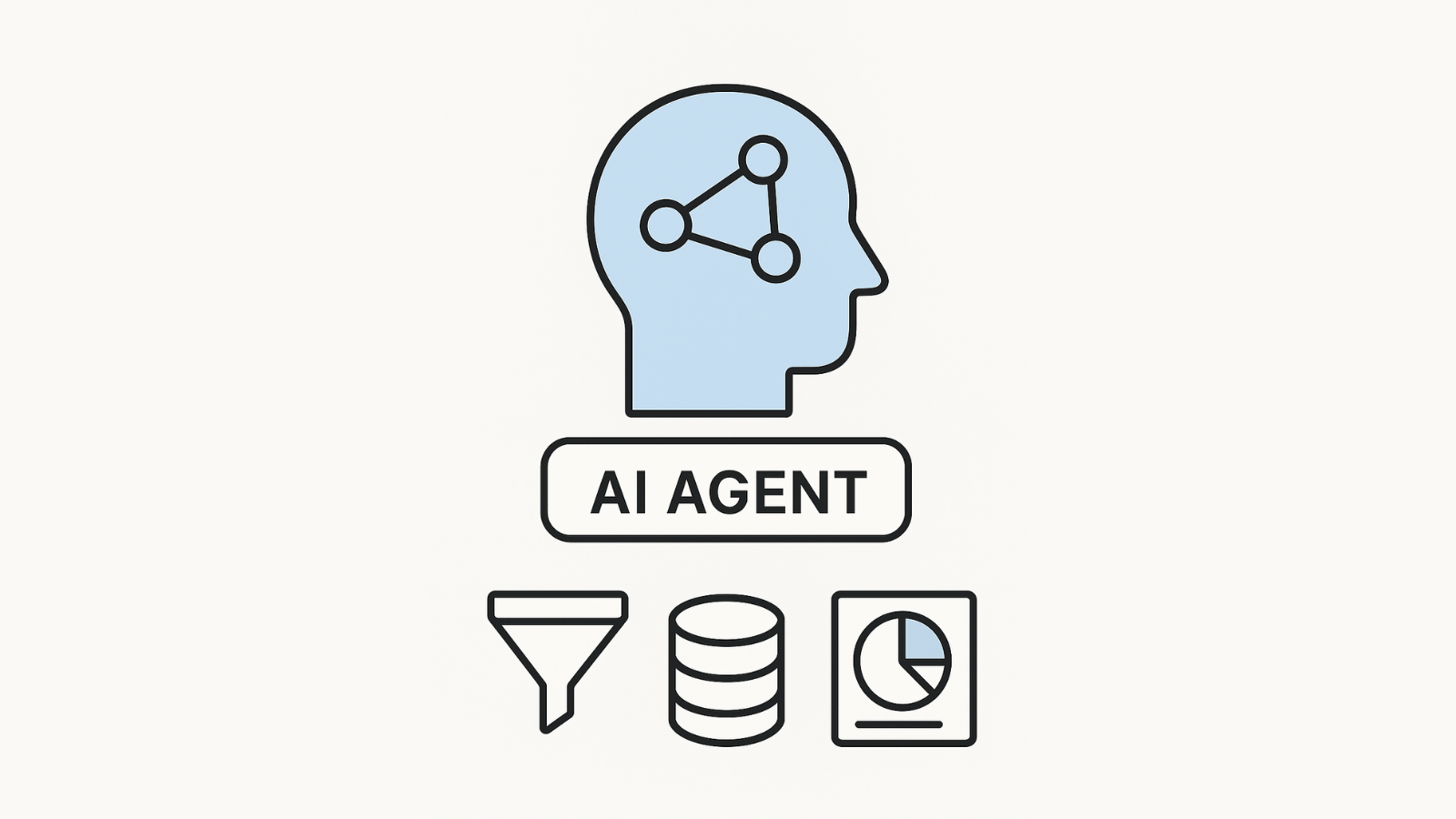
AI agents are moving from research labs into everyday business workflows. Instead of coding every workflow manually, you can now design digital teammates that take on roles, follow goals, and collaborate toward shared objectives. Done right, these agents don’t just answer questions—they work like junior team members who research, analyze, and draft outputs.
That’s where CrewAI comes in. It’s a lightweight, developer-friendly framework that lets you build individual agents and combine them into a “crew.” Each agent has its own role, goal, and context, and they pass tasks between each other until the job is complete.
In this guide, we’ll show you how to build your first CrewAI agent, then scale to a small crew.
You’ll learn how to choose the right model, define roles, set tasks, and equip agents with tools. Along the way, we’ll share insights from Technology Rivers, where we’ve applied agentic design in healthcare, compliance, and enterprise apps.
The Problem Agentic AI Solves
Why not just use a single chatbot? Because real workflows demand structure. Teams often run into:
- Repetitive knowledge work — reading, summarizing, formatting, and re-checking.
- Scattered information — critical data stuck across apps, docs, and databases.
- Inconsistent outputs — no two employees produce exactly the same summary.
- Scaling bottlenecks — hiring more people becomes the only option as volume grows.
- Error-prone handoffs — humans drop details when moving from one system to another.
Agentic AI solves these pain points by encoding processes once and running them consistently, with handoffs between agents mimicking a real team.
Step-by-Step Guide with CrewAI
CrewAI makes building agents systematic. Let’s walk through the process.

Step 1: Choose the AI Brain (LLM)
The large language model (LLM) is the intelligence behind your agent. It provides reasoning, problem-solving, and communication.
What to consider:
- Accuracy and reasoning depth.
- Speed and cost trade-offs.
- Compliance (HIPAA, GDPR, etc.) if you’re handling sensitive data.
Best practice: Use a high-quality model for reasoning-heavy steps, and a faster/cheaper model for repetitive tasks.
Step 2: Define the Agent
Every CrewAI agent has three attributes:
- Role → what the agent is meant to do (Researcher, Analyst, Writer).
- Goal → the specific target outcome (Summarize top 3 customer pain points).
- Backstory → context about how the agent should think or behave (Understands SaaS product discovery, prefers evidence-backed outputs).
This triad gives the agent a clear direction and even a “personality,” reducing hallucinations and keeping outputs consistent.
Step 3: Assign the Task
Agents don’t just exist—they act. Each needs tasks that specify:
- What needs to be done (instructions).
- What the expected output looks like (JSON, Markdown, or report format).
- Which agent is responsible.
This creates clarity and accountability. For example:
- Task: “Search interviews, extract quotes, and rank top 3 requested features.”
- Expected output: JSON schema with themes and ranked_features.
- Assigned to: Analyst agent.
Step 4: Add Tools for Agents
Agents aren’t limited to text—they can use external tools:
- SerperDevTools → perform live Google searches.
- Calculator → handle math or financial modeling.
- API connectors → integrate with CRMs, databases, or Slack.
- RAG pipeline → fetch relevant chunks from your private documents.
These tools extend agents beyond language, letting them take real actions in your systems.
Step 5: Create the Crew
A single agent is useful, but the real magic comes from teamwork.
- Researcher → gathers and cites data.
- Analyst → synthesizes insights and makes decisions.
- Writer → drafts content in the right format and tone.
- Reviewer → checks quality and compliance.
By giving each agent one job, you make the system easier to debug, improve, and scale.
Step 6: Delegated Workflow
CrewAI enables delegated workflows, where agents pass tasks along like coworkers:
- Researcher finds sources.
- Analyst extracts themes.
- Writer composes a clean draft.
- Reviewer checks for compliance and completeness.
For example, one agent might research a topic, another summarizes, and a third polishes the language. This chain of delegation means your “crew” works like a real project team.
Step 7: Run and Refine
Once your crew is assembled, run the process:
- Agents collaborate, delegate, and use tools.
- Outputs are checked against success criteria.
- You refine roles, tasks, and prompts to improve results.
Treat this like product development, not one-off prompting. Maintain regression tests, log tool calls, and add safety checks before going live.
Applications Across Industries
Healthcare & Compliance
Agents can act as policy assistants: answering staff questions, citing official guidelines, and flagging inconsistencies. In one TR project, adding automatic citations improved adoption rates significantly.
Product Research
Turn dozens of messy customer interviews into a clear ranking of top pain points and feature requests. Teams save hours and make faster roadmap decisions.
Sales & RevOps
Agents can summarize calls, draft follow-ups, and update CRMs automatically. The result is less manual data entry and more time spent with prospects.
Benefits You Can Expect
Building with CrewAI gives teams measurable advantages:
- Consistency: Outputs follow templates and rules every time.
- Speed: Tasks that take hours shrink to minutes.
- Scalability: More volume doesn’t mean more headcount.
- Grounded answers: With RAG, agents cite your actual documents.
- Auditability: Logs and reviews create transparency.
Checklist for Success
✓ Start small: build one agent, then expand into a crew.
✓ Define Role, Goal, and Backstory clearly.
✓ Create tasks with specific success criteria.
✓ Add tools only when they add value—start lean.
✓ Test against golden tasks to track quality.
✓ Add reviewer steps for compliance-heavy outputs.
✓ Log and monitor everything—treat agents like software, not magic.
Technology Rivers Insight
We’ve seen firsthand that designing roles and workflows upfront saves weeks of rework later. In one healthcare prototype, separating Researcher → Analyst → Reviewer cut retries by 30%. And in compliance-heavy industries, embedding citations in every response increased trust and adoption.
Visit our AI-Driven Development page to learn more.
Conclusion
AI agents are more than advanced chatbots—they’re collaborative digital teammates.
With CrewAI, you can start simple: define a role, set a goal, give context, and assign a task. Then add tools, build a crew, and refine until you have a reliable, repeatable workflow.
Whether you’re building for healthcare, SaaS, or enterprise operations, this step-by-step guide shows how to get from idea to execution. And if you need a partner to ensure scalability and compliance, Technology Rivers is here to help translate the blueprint into production. Let’s brainstorm.