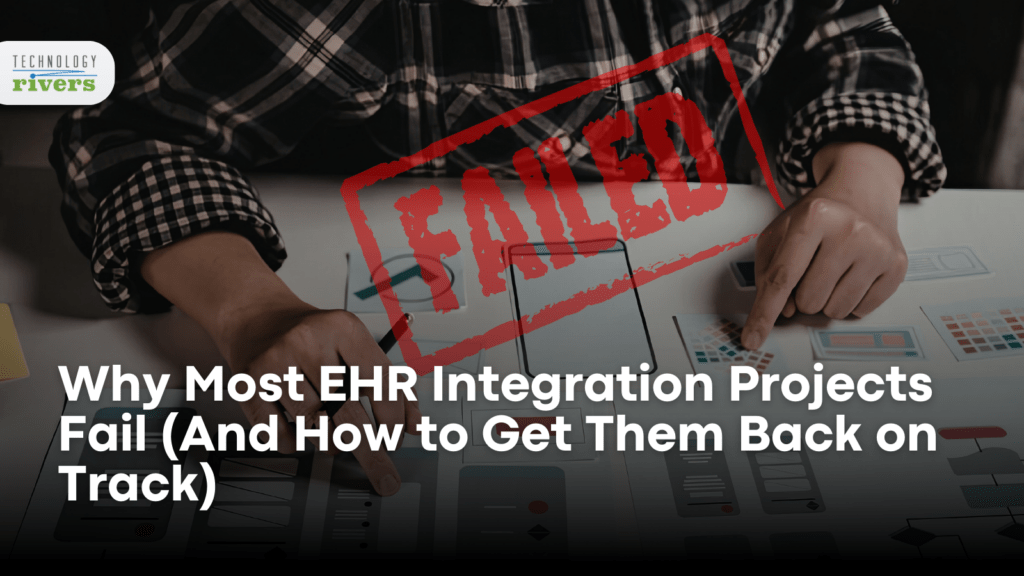
Your EHR integration project started with a clear goal, to connect your application to Epic, Cerner, or Athena and start exchanging patient data. But a few months later, you’re staring at a half-built integration that technically works but breaks every time a clinician tries to use it in a real workflow.
You’re not alone. EHR integration projects fail at staggering rates, not because the technology doesn’t exist, but because teams underestimate what integration actually means.
The root problem is that most teams treat EHR integration like a standard API connection when it’s actually clinical workflow design disguised as a technical project.
The Mental Model That Sinks EHR Projects
When stakeholders say “integrate with Epic,” they picture a clean data pipe where patient information flows from point A to point B and the app starts working. That mental model works for payment gateways, CRMs, and most SaaS integrations, but EHR integration doesn’t work that way.
Healthcare data isn’t just structured differently; it carries clinical meaning that changes based on context, timing, and who’s accessing it. A medication list pulled at 9 AM might look completely different by noon after rounds. Lab results need interpretation alongside vitals, allergies, and active diagnoses. Every data exchange also carries compliance obligations that standard integrations don’t.
When teams approach EHR integration with a “just connect to the API” mindset, they build technically functional connections that clinicians can’t actually use. The integration passes QA tests but fails the moment it hits a real clinical environment.
5 Warning Signs Your EHR Integration Is Off Track
Most EHR integration failures don’t announce themselves with a dramatic crash. They accumulate quietly until someone realizes the project has been stuck for weeks. Watch for these patterns:
- The scope keeps expanding without clear boundaries:
The initial requirement was “pull patient demographics,” and now the system also handles medications, allergies, encounters, and care team assignments, each with its own data model, permissions, and edge cases. - Clinical stakeholders stopped attending standups:
Early meetings included nurses, physicians, or clinical informaticists. Now it’s just engineers talking to engineers, and clinical feedback arrives late, requiring major rework. - The EHR vendor relationship feels adversarial:
Calls with Epic or Cerner support feel tense. Your team asks for capabilities the vendor says already exist, pointing to documentation that hasn’t been fully absorbed. - Testing passes, but pilots fail:
Unit and integration tests look fine, but real users with real patient data expose gaps in error handling and workflow assumptions. - Timeline estimates keep doubling:
An eight-week estimate turns into sixteen with no clear end in sight, as each “final” milestone reveals new requirements.
If three or more of these sound familiar, your project isn’t just delayed; it’s structurally misaligned with how EHR integrations actually work.
Why EHR Projects Fail Differently Than Other Software Projects
General software failures often trace back to unclear requirements or weak testing. Healthcare integration adds layers of complexity that amplify every mistake.
Data standards don’t guarantee interoperability. FHIR and HL7 provide frameworks, but every EHR implements them differently. Epic’s FHIR endpoints don’t behave the same way as Cerner’s. As explained in FHIR API Integration: Moving Healthcare Toward True Interoperability, standardization still requires customization.
Compliance isn’t a feature, it’s architecture. HIPAA requirements affect how you store, transmit, and log every data exchange. Teams that bolt compliance on late often discover they must rebuild core components. For deeper context, see how to build HIPAA-compliant healthcare apps.
Clinical workflows don’t pause for software updates. Healthcare systems run continuously, which means integrations must handle partial data, downtime, and EHR updates without corrupting records or disrupting care.
Stakeholder alignment requires translation. Engineers, clinicians, compliance officers, and executives describe the same project in different languages. Without intentional alignment, assumptions go unchallenged and outcomes suffer.
How to Get Your EHR Integration Back on Track
If your EHR integration project is struggling, the solution starts with reassessment before writing more code.
- Pause and audit:
Stop building new features. Compare what exists today with what clinicians actually need in real workflows. - Rebuild clinical engagement:
Bring nurses, physicians, or clinical informaticists back into weekly reviews. Their feedback is the primary success metric. - Right-size your scope:
Identify the minimum viable integration that delivers real clinical value, ship it, then expand incrementally. - Separate the connection from the workflow:
Build your EHR connection layer as infrastructure, then design clinical workflows on top of it. - Invest in proper error handling:
Duplicate patients, inconsistent documentation, and EHR quirks are normal. Your system must handle them gracefully.
We’ve applied these principles across remote patient monitoring platforms and patient care management applications, where integration quality directly determines adoption.
When to Bring in Outside Help
Some EHR integration failures require a fresh perspective. Consider external support if your team lacks direct experience with your target EHR, if clinical stakeholders have lost confidence, or if you’ve burned through more than 150% of your original timeline.
The goal isn’t replacing your team, it’s accelerating recovery. A structured audit can surface architectural issues in days rather than weeks. Our post on Top 8 Ways App Development Goes Wrong explores related patterns, but EHR projects require specialized triage.
Moving Forward
EHR integration projects fail when teams treat clinical workflow design like a standard technical connection. Success comes from recognizing that integration means fitting into how healthcare actually works.
If your project is stuck, a diagnostic conversation can clarify whether you need a course correction or deeper intervention. Reach out to our team to discuss where things stand and what recovery looks like.