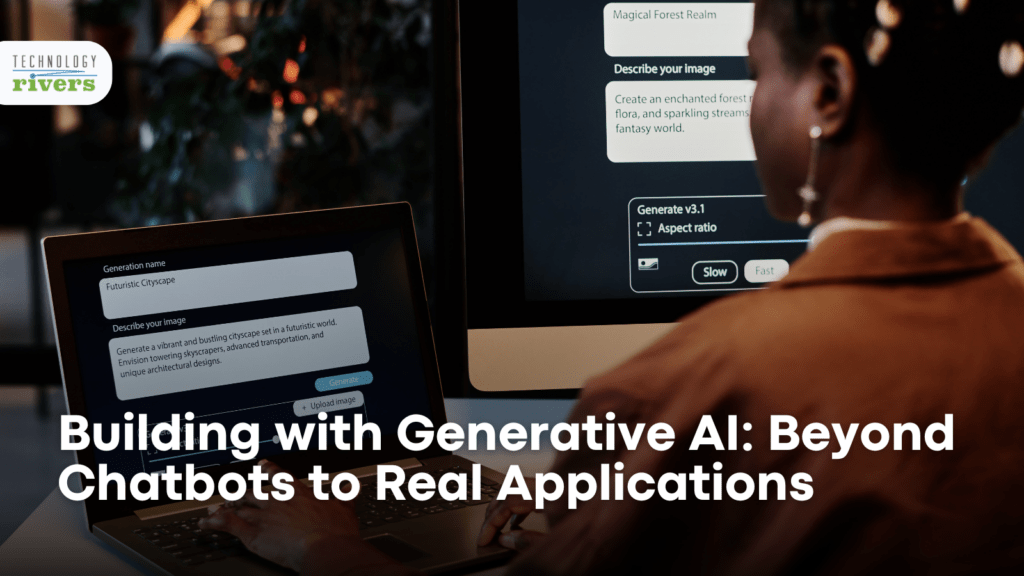
A product team launches a generative AI chatbot. The demo goes well. It answers questions, sounds polished, and gets attention internally. But a few weeks later, the real question surfaces: what does it actually do for the business?
That is the gap many teams run into. Chatbots are easy to prototype, but the real value of building with generative AI usually shows up elsewhere, in document workflows, internal copilots, task automation, decision support, and systems that help people complete real work.
The companies getting results are not just adding chat. They are building applications around specific jobs, processes, and outcomes.
This article explains how to move beyond chatbot thinking and build generative AI applications that are useful, scalable, and grounded in real business workflows.
Why “Beyond Chatbots” Matters
Chatbots became the default starting point for generative AI because they are visible, simple to prototype, and easy for nontechnical teams to understand. Ask a question, get an answer. That makes for a compelling demo.
The problem is that most businesses do not need a chatbot for its own sake. They need faster case resolution, better document handling, less repetitive work, cleaner handoffs, stronger internal search, and more reliable execution. A chatbot may be part of the interface, but the value comes from what happens behind it.
That is the key mindset shift. Generative AI should be treated as an application layer, not just a conversation layer. Once teams start from the workflow instead of the interface, better product ideas usually follow.
What Real Generative AI Applications Look Like
The strongest generative AI applications usually fall into a few practical categories.
Document intelligence is one of the most common. This includes summarizing long files, extracting structured information, drafting responses, and comparing contracts, policies, claims, tickets, or reports. In these cases, the model is not replacing a person. It is reducing the amount of manual reading, sorting, and drafting required.
Internal copilots are another strong use case. These systems help employees work faster by grounding responses in company knowledge, approved content, system data, or internal procedures. The difference between a useful copilot and a weak one is whether it can actually access the right context and fit into the user’s job.
Generative AI also works well in content and knowledge systems. That can mean drafting internal communications, generating first-pass reports, answering questions over enterprise knowledge, or creating structured outputs from unstructured inputs.
Then there is workflow automation. This is often where the real payoff shows up. A model can classify an intake request, generate a summary, trigger a handoff, suggest a response, create a task, and log the result into the right system. That is a very different application than a free-form bot.
Finally, multi-step AI agents are becoming more practical. These systems do not just respond. They can plan, call tools, retrieve information, update records, and complete a series of actions toward a defined objective.
The Most Valuable Use Cases for Building with Generative AI
Customer support is one of the clearest examples. A basic chatbot answers questions. A real generative AI application can summarize the conversation, pull account context, recommend the next action, generate a response draft, route the case, and document the interaction.
Enterprise search is another major use case. Employees often waste time hunting across wikis, files, tickets, and messages. A useful generative AI system can retrieve the right source material, synthesize it, and present a grounded answer inside the workflow.
Contract and policy processing is a strong fit too. Teams can use generative AI to surface clauses, flag missing terms, compare versions, summarize obligations, or prepare structured review notes.
Operations and back-office workflows are often overlooked, but they create some of the clearest ROI. Intake triage, task creation, report generation, exception handling, and knowledge-driven routing are all areas where generative AI can remove friction.
That is also why AI automation solutions: how enterprises automate workflows at scale fits naturally into this context. The point is not simply to generate text. It is to make work move.
For teams leaning toward more task-oriented systems, AI agent development services become relevant when the application needs multi-step execution rather than only response generation.
What Makes a Generative AI Application Useful
A useful generative AI application does four things well.
- It solves a real workflow problem. If the business would not care about the result without the AI, the application is probably too shallow.
- It connects to the right context. Models are most useful when they can access the documents, system state, instructions, and business rules that shape a good answer or action.
- It has boundaries. Good systems know what they should answer, what they should escalate, what tools they can call, and when human review is required.
- It is measurable. Teams should know whether the application is reducing handling time, improving first-pass quality, lowering manual effort, increasing throughput, or helping users complete a job more reliably.
This is where many chatbot projects stall. The interface works, but nothing operational changes.
The Architecture Behind Real Applications
Once a team moves past a standalone chatbot, the architecture usually becomes more important than the prompt.
At the center is the model layer, often an LLM or a set of models selected for different tasks. But the model is only one part of the application. Most production systems also need a retrieval layer for context, a workflow or orchestration layer for task routing, integrations with business systems, logging, monitoring, and human review controls.
Retrieval matters because most business work depends on context the model does not already have. That might include internal knowledge, account records, product data, documents, or policy rules.
Orchestration matters because the system often needs to do more than answer. It may need to decide what tool to call, what record to update, what task to create, or whether a person should review the result.
Integrations matter because that is what turns output into action. This is why software integration services are often part of the real build, especially when the application needs to work across CRMs, ticketing systems, internal databases, or document platforms.
Risk management matters too. NIST identifies “secure and resilient” as one of the core characteristics of trustworthy AI, and its generative AI profile emphasizes issues like confabulation, harmful content, security, and system misuse that have to be addressed at the application level, not just the model level.

How to Build Generative AI Applications Step by Step
Step 1: Start with the workflow, not the model.
What work is repetitive, context-heavy, slow, inconsistent, or hard to scale? That is usually where the best opportunities are.
Step 2: Narrow the use case.
One job to be done is better than a vague “AI assistant” idea. Good starting points include:
- Support triage
- Internal knowledge answers
- Document review summaries
- Meeting follow-ups
- Intake processing
Step 3: Define what the model should and should not do.
That includes:
- Output boundaries
- Escalation rules
- System permissions
- When human review is needed
Step 4: Add retrieval, tools, and integrations.
This is where the application begins to move beyond a demo and into a real operating environment.
Step 5: Test with real users and real edge cases.
Teams should look at:
- Where the system helps
- Where it slows things down
- Where it hallucinates
- Where it needs stronger controls
Step 6: Expand only after the first workflow proves value.
Value comes from rewiring how companies run — not from sprinkling generative AI across isolated tasks.
Trying to move from a chatbot demo to a real business application? Explore our AI and machine learning services if your team needs help defining the right workflow, model stack, and production path.
Common Mistakes Teams Make
- Building a chatbot with no operational role. It can answer questions, but it does not connect to systems, complete work, or improve a measurable process.
- Skipping integrations. Without retrieval, tool access, and workflow hooks, even a strong model remains detached from the job it is supposed to help with.
- Letting the model do too much. If every output is open-ended, unguided, and unaudited, reliability drops fast.
- Measuring demos instead of outcomes. Internal excitement is not the same as improved throughput, faster resolution, or better quality.
- Underestimating workflow design. Once a system touches real processes, workflow design becomes the difference between helpful and disruptive.
Interested in learning more? Our blog on AI for workflow automation and compliance monitoring is a relevant next read.

A Practical Rollout Plan
The best rollout path is usually staged. Start by prototyping one workflow with constrained scope. Do not try to build a universal assistant. Build something narrow that solves one real problem.
Next, add retrieval and system access carefully. Pull in only the data and tools needed for that workflow, and keep permissions tight.
Then introduce workflow automation and approvals. This is where our workflow automation services can help turn model output into task routing, updates, summaries, approvals, and follow-through.
After that, expand into broader use cases or more agent-like behavior only when the first implementation is delivering value and operating reliably.
For some teams, the next step is a domain-specific agent rather than a broader chatbot. If that is the direction, How to Build an AI Agent Using CrewAI (Step-by-Step Guide) makes sense in the context of orchestration and task execution.
Choosing the Right Generative AI Partner
Real generative AI applications need more than model experimentation. They need product thinking, architecture, workflow design, integrations, and disciplined execution.
“The differentiator for Technology Rivers, compared to others, is the amount of value they bring. It’s not just about writing code, it’s about building the right thing, efficiently and collaboratively.” — Patrick Mish, SilverStay
That approach maps directly to generative AI work. The challenge is rarely just getting an LLM to produce output. The challenge is turning that output into a system people can actually use.
This is where our custom software development services matter, especially when the goal is to integrate AI into an existing product or operational platform.
Build Generative AI Applications That Do Real Work
The future of generative AI is not a bigger chatbot menu. It is applications that summarize, route, retrieve, decide, assist, and complete work inside real business processes.
Teams that get value from generative AI usually make the same move: they stop treating the model as the product and start designing around the workflow. That is where architecture gets sharper, ROI gets clearer, and AI becomes something more than a demo.
If your team is planning a generative AI product, internal copilot, workflow automation system, or task-oriented agent, discuss the idea with us now. Book a free consultation call.